Dual subtitles on Netflix, YouTube and Disney+.
The original line and a second one in the language you choose, on screen together. Click any word to save it. Free to start.
Free plan, no card. Coming soon to the Chrome Web Store — one email on launch day. See how it works

Interactive preview of the extension. See it on each platform
- No processing waitWhen the platform has your language, its own subtitles are aligned instantly
- Unlimited saving, freeWords and phrases, synced when you sign in
- 100 auto-translated lines a day, freeOnly for lines the platform lacks. Word look-ups don’t count (up to 300 a day)
What is SubPair?
SubPair is a Chrome extension that shows two subtitle lines at once on Netflix, YouTube and Disney+: the original and a translation in your language. Click any word for its meaning, save words and phrases, and review them later. The free plan includes unlimited dual subtitles from each platform’s own subtitle tracks; Pro costs $4.99 a month or $39 a year.
Can I watch Netflix with two subtitles at once?
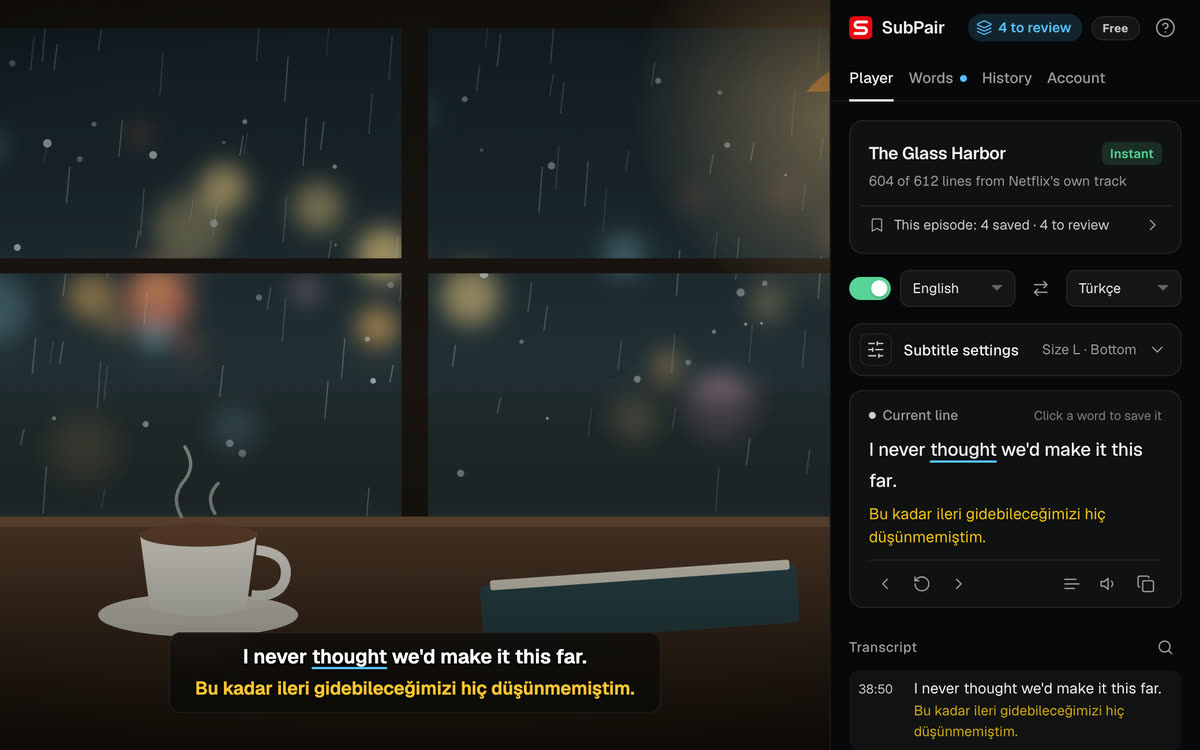
Not with Netflix alone: its player shows one subtitle language at a time. With SubPair in desktop Chrome, the original line and your language appear together, taken from Netflix’s own subtitle tracks whenever your language is available. How it works on Netflix
Is SubPair free?
Yes, to start. The free plan covers unlimited dual subtitles from the platform’s own tracks, 100 auto-translated lines a day, the click-word dictionary, and unlimited saving and review. Pro is $4.99/month or $39/year. Compare the plans
Which platforms does SubPair support?
Netflix, YouTube and Disney+, in desktop Google Chrome on Windows, macOS, Linux and ChromeOS. On Disney+, each line is auto-translated as it appears on screen. Dual subtitles on YouTube
From a line you hear to a word you keep.
Five steps, all on the free plan. No uploads, no per-episode processing, no account needed to start watching.
-
1
Watch
Press play on Netflix, YouTube or Disney+. Both lines appear — from the platform's own track wherever one exists.
InstantEN → DE -
2
Click or drag
Click any word for its meaning. Drag across several words to take a whole phrase.
keep a secret -
3
Save
One click saves it — words keep the subtitle line they came from. No cap on the free plan.
Saved -
4
Sync
Sign in once and your list follows you to every Chrome you use.
Synced -
5
Review
Two-minute cloze review in the side panel — the word, back in its scene.
Space123
Three things we do differently.
Each one is something you can check yourself in the first minute of an episode.
The platform’s own subtitles, with no wait.
Netflix and YouTube often already carry a professionally translated subtitle track in your language. SubPair reads it and aligns it to the original by time — so the second line is ready when the episode starts, not after a server has processed it.
- Unlimited dual subtitles from the platform’s own tracks, free
- SubPair draws both lines itself — your player settings stay untouched
- Auto-translation steps in only for gaps and missing languages
Drag across a phrase. Save it as one.
Languages live in expressions, not single words. Click a word for a quick meaning, or drag across a run of words — an idiom, a phrasal verb, half a sentence — and SubPair translates and saves it as one entry.
- One click for a word, one drag for a phrase
- Auto-pause holds the scene while the popup is open
- Works the same on Netflix, YouTube and Disney+
Save as much as you want. On the free plan.
Some tools charge for saving words. SubPair doesn't, and doesn't cap it. Your list lives in the side panel next to the player; sign in and it syncs across devices, shows up on your account page, and downloads as CSV whenever you want it.
- Words, phrases and sentences — no limit, no paywall
- Synced to your account when you're signed in
- CSV export from the side panel or your account page
Study controls that stay out of the way.
Jump between lines with A S D, blur the translation until you've tried the line yourself, let auto-pause stop at the end of each subtitle, or loop a sentence until it sticks. All free.
One subtitle layer. Three platforms.
Every title is labeled with how its second line was made — the same badges you'll see in the extension.
Netflix
InstantNetflix's own translated tracks, aligned by time. Human-quality, no quota.

YouTube
InstantAuto-translated when missingInstant when the video has captions: YouTube's own caption tracks, same alignment engine. Auto-translation fills missing languages.
Disney+
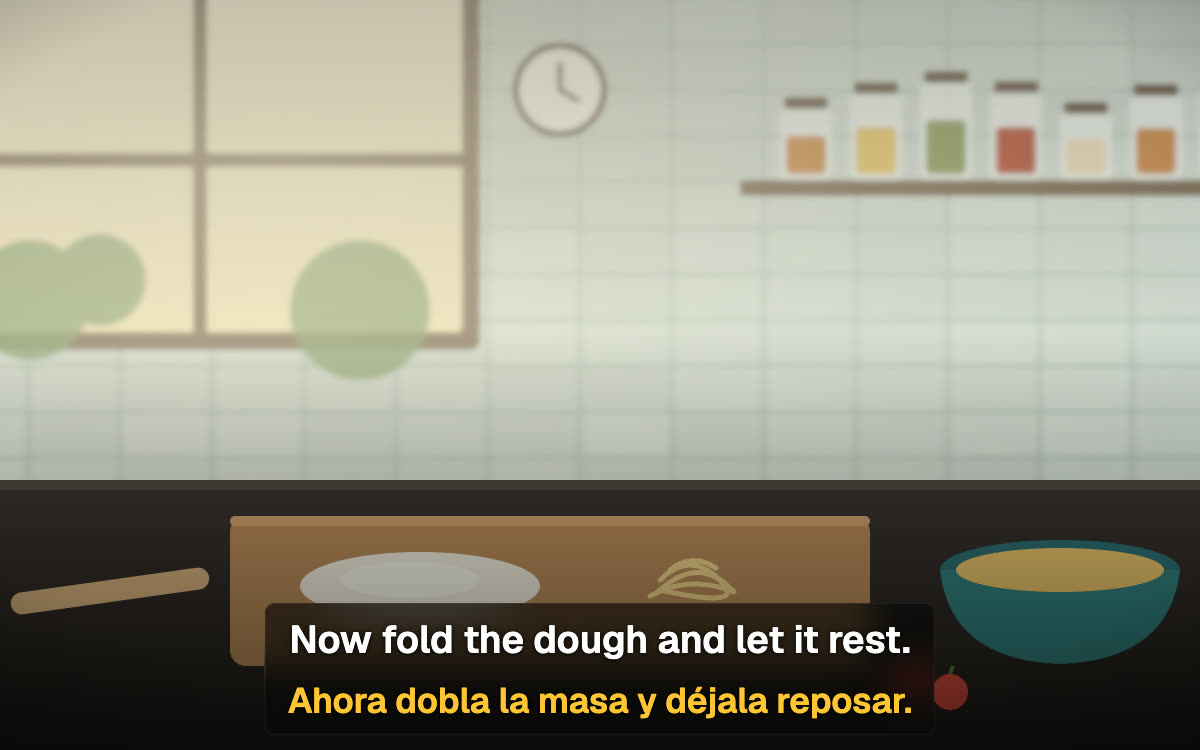
Line by lineLine by line today: each line is auto-translated as it appears on screen.

- 32 languages
- Spanish, Japanese, Turkish, Polish and more — pair any two.
- Full transcript
- Every line of the episode in both languages; click one to jump there.
- SRT export
- Download an episode's subtitles — original, translation, or both.
- Timing offset
- Shift subtitles up to ±5 seconds if a track runs early or late.
- Honest history
- The side panel lists recent titles and how each was subtitled: instant, auto-translated or line by line.
- Privacy-minded
- Platform subtitles never leave your browser. Lines sent for auto-translation are logged with their title for 30 days, then deleted. No data is sold.
How SubPair compares.
Language Reactor and RemFluent are solid tools. Here is where SubPair is different, based on their public docs.
| Feature | SubPair | Language Reactor | RemFluent |
|---|---|---|---|
| Dual subtitles ready | Instantly — the platform’s own subtitles, aligned by time | Instantly | After server-side processing per episode |
| Save words on the free plan | Yes, unlimited | Pro feature | Anki decks via paid credits |
| Translation source | The platform’s own subtitles first; auto-translation fills gaps | Auto-translation, plus Netflix tracks where available | Own processed translations |
| Free auto-translation | 100 lines/day (word look-ups don’t count, up to 300/day), plus unlimited dual subtitles from the platform’s own tracks | Paid (Pro) | No free plan for full use |
| Price | Free · Pro $4.99/mo or $39/yr | Free tier · Pro ~$5/mo | ~$9–16/mo |
Competitor details from their public pricing, store listings and forums as of October 2026 — check their sites for current terms.
Free to watch and learn. Pro for heavy translation.
Everything in the learning loop is free — saving, review and CSV export included. Pro removes the daily auto-translation limit, unlocks per-line appearance and adds Anki export.
Free
The whole learning loop
- Unlimited dual subtitles from the platform’s own tracks
- 100 auto-translated lines a day; word look-ups don’t count (up to 300 a day)
- Click-word dictionary & phrase drag-select
- Unlimited saving, synced across devices
- Review mode, transcript, side panel & CSV / SRT export
- Subtitle size & position, blur, auto-pause, sentence loop, A S D keys
- Netflix, YouTube & Disney+
- Not included: Unlimited auto-translation
- Not included: Per-line appearance
- Not included: Anki export with scene context
Pro
Billed monthly, cancel anytime
Not on the Chrome Web Store yet. Pro is tied to your SubPair account and works the moment you install the extension.
- Everything in Free, plus:
- Unlimited auto-translation
- Per-line appearance: size, color, shadow, box style & background for each line
- Anki export with scene context
Payments by Creem.io, merchant of record. Cancel anytime — Pro stays until the end of the period you paid for. Billing, cancellation & refund terms
For most popular language pairs, Netflix and YouTube already ship a professionally translated subtitle track. SubPair reads that track and aligns it with the original subtitles by timestamp — no translation step, so there's nothing to wait for and no quota to use up. Auto-translation only kicks in for lines or languages the platform doesn't cover.
Yes. Dual subtitles from the platform's own tracks are unlimited and free. The free plan also includes 100 auto-translated lines a day, the click-word dictionary (word look-ups don't count toward the 100, up to 300 a day), phrase drag-select, unlimited word, phrase and sentence saving with sync, review mode, CSV and SRT export, the transcript, the side panel, blur mode, auto-pause and sentence loop. Subtitle size and position are free too. Pro removes the auto-translation limit, unlocks per-line appearance (size, color, shadow, box style and background for each line) and adds Anki export with scene context.
Nothing breaks. The video keeps playing, dual subtitles from the platform's own tracks keep working, and lines that would have needed auto-translation show the original text instead. Clicking a word still works, because word look-ups have their own allowance of 300 a day. Both counters reset at midnight UTC.
SubPair isn't on the Chrome Web Store yet — it's coming soon. Use the email link at the top of the page and we'll tell you the day it launches.
No. Install it and start watching: dual subtitles, the dictionary and saving all work without an account, and auto-translation uses the same free daily allowance. An account adds sync across devices, your learning dashboard on this site, and Pro.
SubPair runs in desktop Google Chrome on Windows, macOS, Linux and ChromeOS. Phones and tablets can't run Chrome extensions, and Firefox and Safari aren't supported.
Netflix gets instant dual subtitles aligned from its own subtitle tracks. YouTube is instant when the video has captions; SubPair turns them on for you, and if a video has none, there's nothing to align. Disney+ runs line by line — each line is auto-translated as it appears, labeled 'Line by line' in the extension.
English, Turkish, German, French, Spanish, Italian, Portuguese, Russian, Japanese, Korean, Chinese (Simplified), Arabic, Hindi, Dutch, Polish, Swedish, Greek, Czech, Romanian, Hungarian, Danish, Finnish, Norwegian, Serbian, Lithuanian, Latvian, Estonian, Thai, Vietnamese, Indonesian, Georgian, and Azerbaijani. Any two can be paired.
No. SubPair renders both subtitle lines itself, independently of the platform's own subtitle display — your settings stay untouched, and everything looks normal again the moment you turn SubPair off.
Language Reactor is a mature tool, but saving words and auto-translation are Pro features there, and it can't select a multi-word phrase inside a line. RemFluent processes each episode on its servers before you can watch, and costs roughly $9–16/month. SubPair gives you instant dual subtitles from the platform's own tracks, phrase drag-select and unlimited saving on the free plan.
Your account email (only if you create an account), the vocabulary you choose to save, and the subtitle lines sent for auto-translation. For each auto-translation request we keep a short record — platform, title, watch-page address, language pair and one sample line — for 30 days to fix bad translations, then delete it. Subtitles from the platform's own tracks never leave your browser. We don't sell any data. See the privacy policy for the full picture.
Pro is $4.99/month or $39/year, processed by Creem.io as merchant of record. To cancel, open your account page, choose Manage billing and cancel in the Creem.io portal. Pro stays active until the end of the period you've paid for.
Refunds are handled through Creem.io — reach out via the billing portal on your account page, or email us and we'll sort it out case by case. Statutory refund rights in your country always apply.
Yes. SubPair works on top of your own Netflix, YouTube or Disney+ access. It adds a second subtitle line and learning tools to content you can already watch; it doesn't provide or unlock any video.
Two languages. One screen. No waiting.
SubPair is coming soon to the Chrome Web Store. Leave your email and you'll get one message, the day it's live.